Should You Chunk Content for AI Search? What Microsoft and Google Actually Say
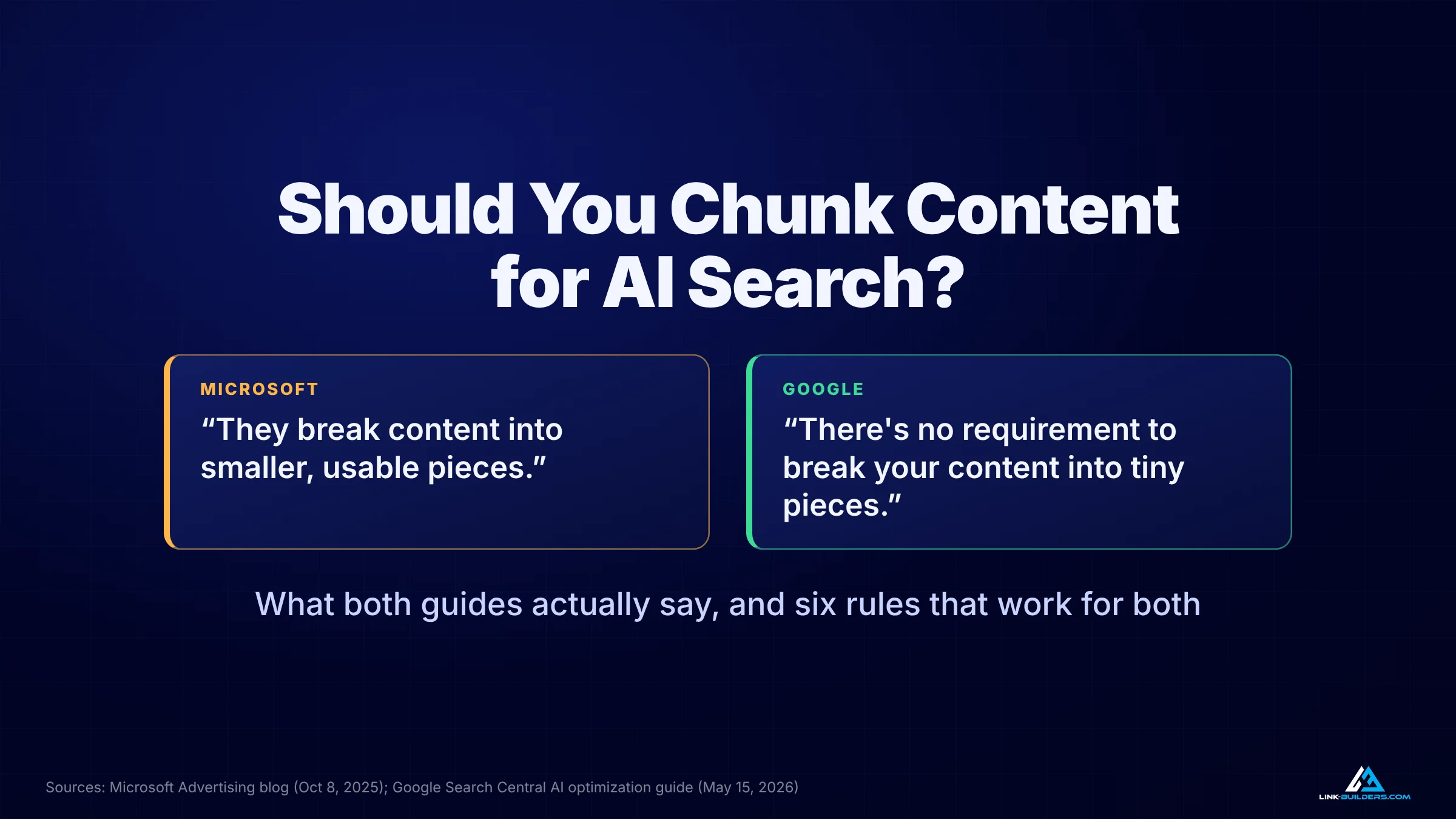
The two guides sound opposed. Read closely, they agree on almost everything.
Author: Justin Davis, Link Builders
No, you don’t need to chop your pages into tiny, bite-sized blocks for AI search. AI tools already split pages into passages on their own, and Google says plainly that “there’s no requirement to break your content into tiny pieces for AI to better understand it.” What both Microsoft and Google do reward is clear structure: one idea per section, headings that say what’s below them, direct answers near the top of each section, and sentences that still make sense when they’re pulled out on their own. Write clear sections, keep the page whole, and spend the time you saved on getting the page found in the first place.
If you’ve read advice telling you to rewrite every page into one-sentence paragraphs for ChatGPT and Google’s AI Overviews, you’ve probably also seen the headlines that make it sound like Microsoft and Google disagree. Microsoft’s Bing team says AI assistants break pages into pieces and rank each piece on its own. Google says you don’t need to do anything special. Both statements are true, and once you see why, most of the confusion goes away.
This guide goes through what each company actually published, where they agree, what goes wrong when you over-chunk, and six writing rules that line up with both. I’ll finish by running those rules on a real page from my own tour company.
What Is Content Chunking?
Content chunking is the step where an AI search tool splits a web page into smaller passages so it can pick the parts that best answer a question. The term comes from engineering, not marketing, and it describes something the AI system does after it finds your page.
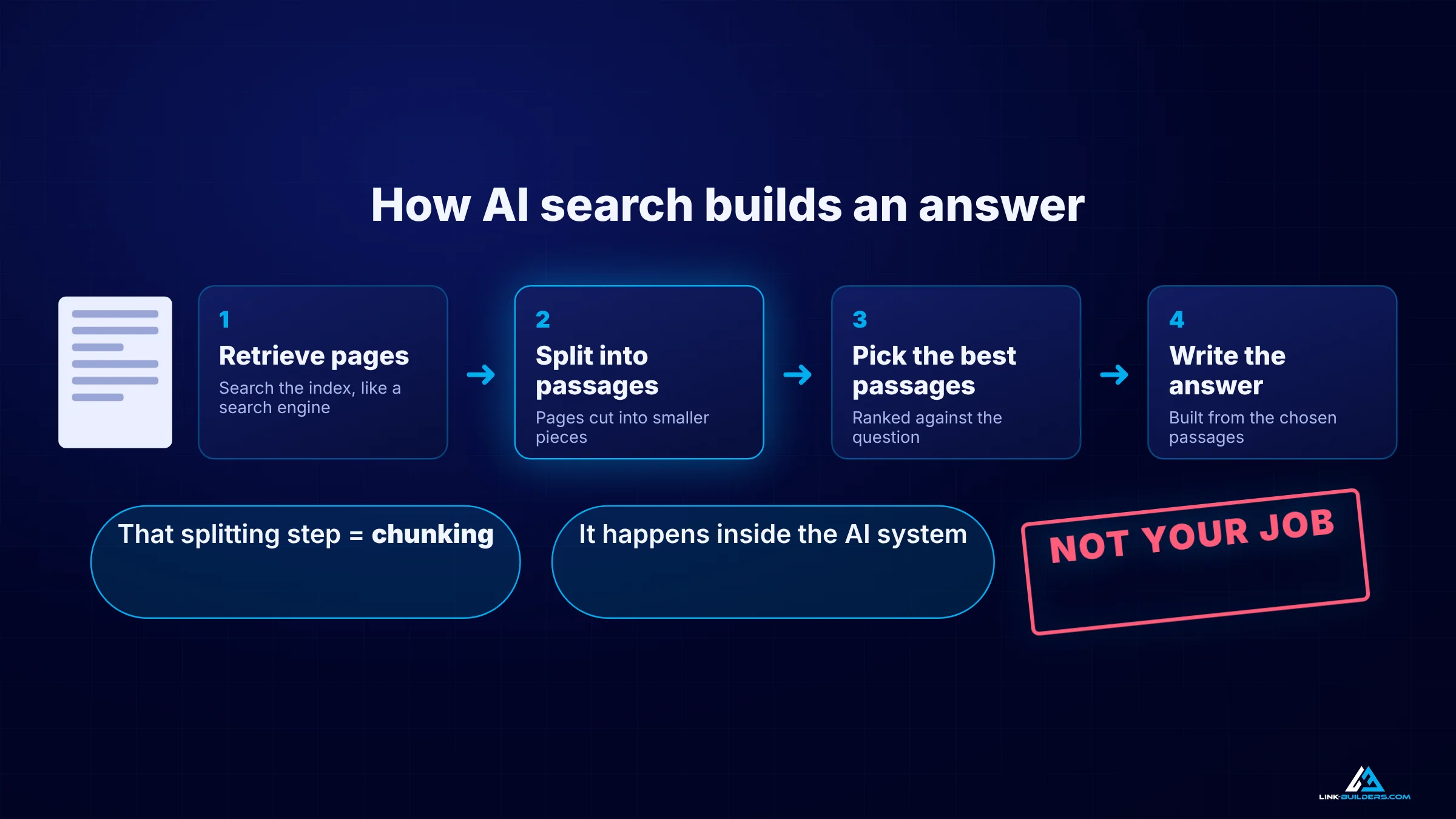
Chunking is step two. It happens inside the AI system, after your page has already been found.
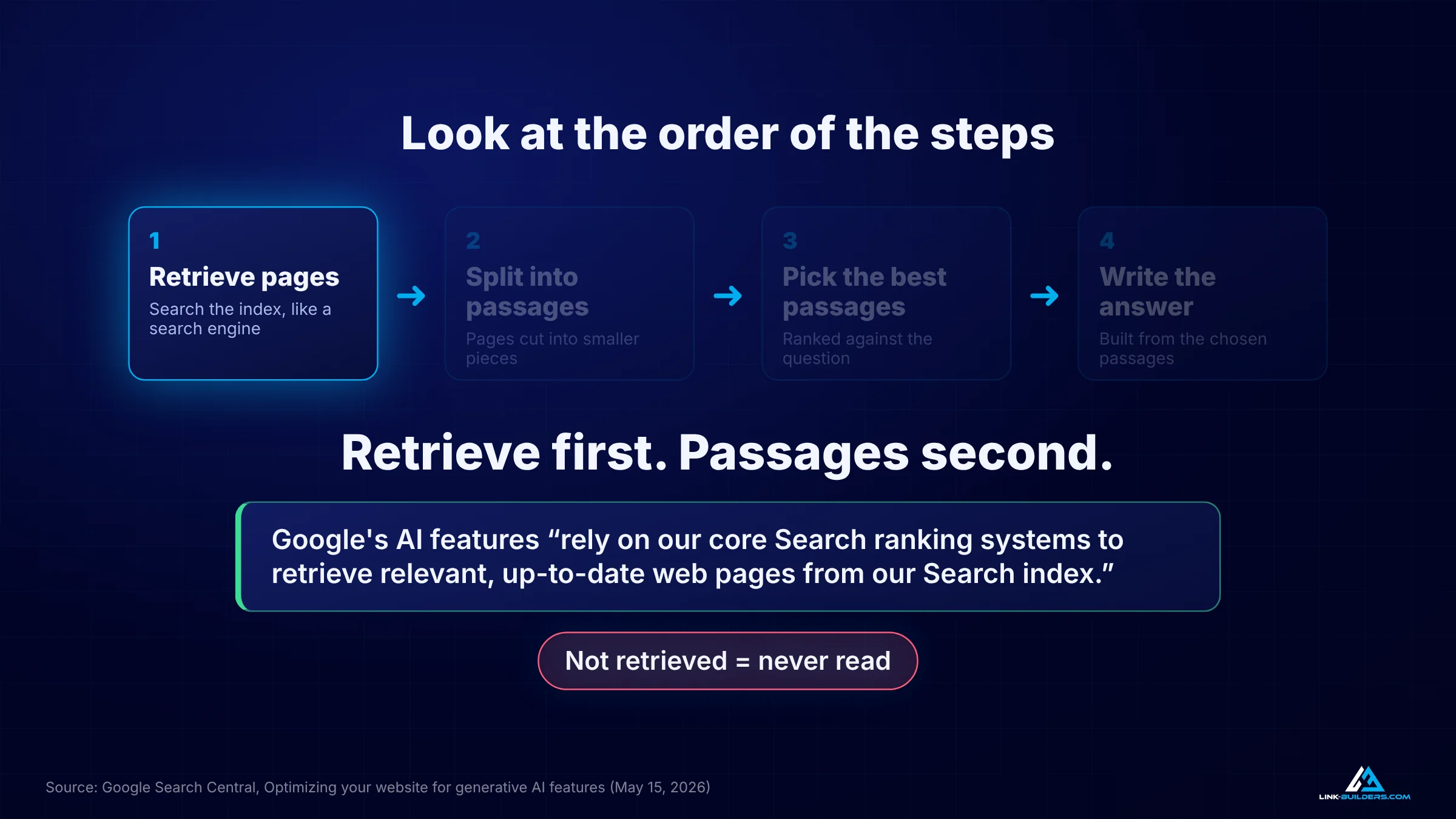
Most AI search tools build an answer in four steps:
- Retrieve pages. The tool searches an index for pages related to the question, much like a search engine does.
- Split them into passages. Each page is cut into smaller pieces. This is the chunking step.
- Pick the best passages. The pieces are ranked against the question.
- Write the answer. The tool builds a reply from the passages it chose, and often cites the pages they came from.
The confusion starts when that idea moves from engineers to marketers. Somewhere along the way, “the machine splits your page” turned into “you should split your page first.” The advice that followed was short paragraphs, one sentence each, and sometimes splitting one solid guide into ten thin pages. I’ll call that writer chunking, to keep it separate from the machine chunking that AI tools do on their own. Writer chunking is the version worth questioning.
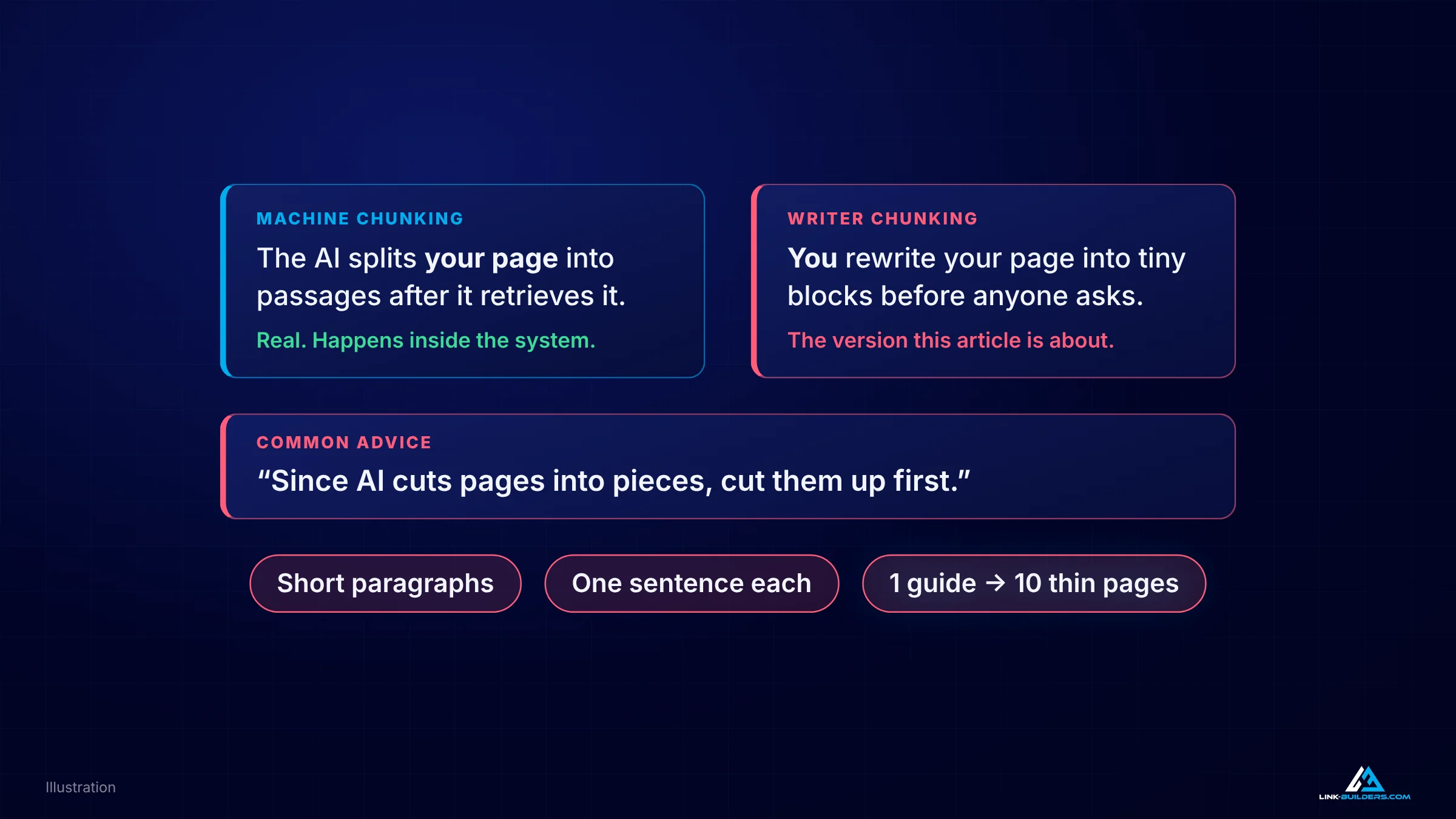
Machine chunking is real. Writer chunking is the advice this article is about.
What Microsoft Says About Chunking
In October 2025, Krishna Madhavan, a principal product manager on Microsoft Bing, published a guide called Optimizing your content for inclusion in AI search answers. Bing’s index powers Microsoft Copilot, so this is the closest thing to an official statement from the company behind one of the major AI assistants.
The guide explains that “AI assistants don’t read a page top to bottom like a person would.” Instead, it says, they “break content into smaller, usable pieces,” and “these modular pieces are what get ranked and assembled into answers.”
Notice the word Microsoft uses for this. It calls the process parsing, and it describes what its own systems do. Nowhere does the guide tell you to chop your page apart yourself.
What the guide does recommend is a list of formatting habits that make those pieces easier to use:
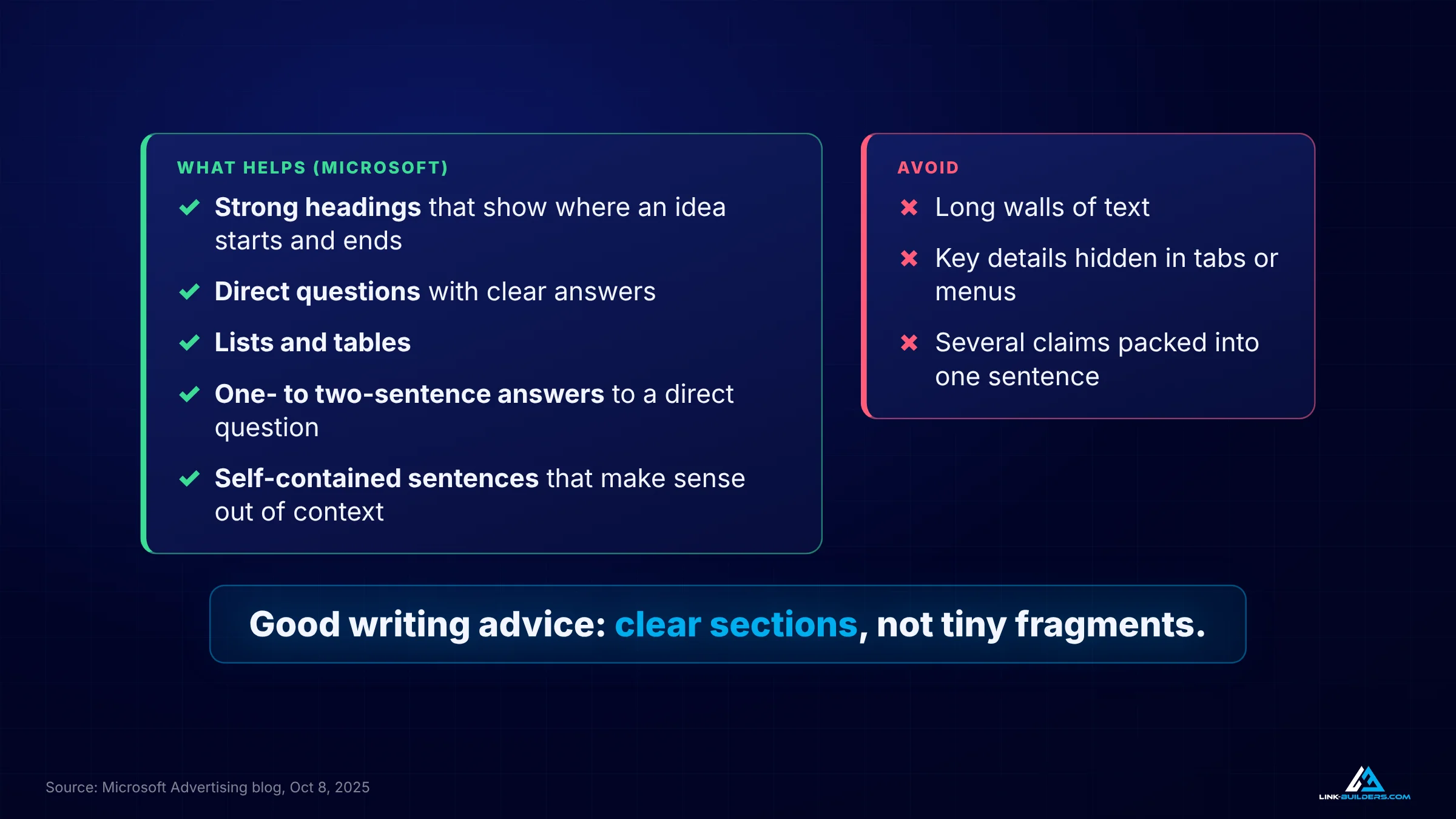
Read as a whole, Microsoft’s checklist is a description of clear writing, not tiny fragments.
- Strong headings. Headings act “like chapter titles that define clear content slices” and help AI “know where a complete idea starts and ends.”
- Direct questions with clear answers. The guide notes that assistants “can often lift these pairs word for word into AI-generated responses.”
- Lists and tables that break complex details into reusable parts.
- Short answers. “One- to two-sentence responses that directly address a question.”
- Self-contained phrasing. “Sentences that make sense even when pulled out of context.”
On the avoid list are long walls of text, key details hidden in tabs or menus that “AI systems may not render,” and sentences that pack several claims into one line. As the guide puts it, “Packing multiple claims into one line makes it harder for AI (and readers) to parse meaning.”
Look at that list again. It’s good writing advice. It describes a page built from clear sections, not a page shredded into one-line blocks.
What Google Says About Chunking
On May 15, 2026, Google published its own guide, Optimizing your website for generative AI features on Google Search, which covers AI Overviews and AI Mode. On chunking, it’s direct:
- “There’s no requirement to break your content into tiny pieces for AI to better understand it.”
- “There’s no ideal page length, and in the end, make pages for your audience, not just for generative AI search.”
- “You don’t need to write in a specific way just for generative AI search.”
Google also explains why. Its systems “are able to understand the nuance of multiple topics on a page and show the relevant piece to users.” In other words, Google already does the splitting. It doesn’t need you to do it first.
Google Has Ranked Passages Since 2020
This isn’t a new claim. In October 2020, Google announced a ranking change for individual passages. The announcement pointed out that “the single sentence that answers your question might be buried deep in a web page,” and said that “by understanding passages in addition to the relevancy of the overall page, we can find that needle-in-a-haystack information you’re looking for.” Google expected the change to improve 7 percent of search queries.
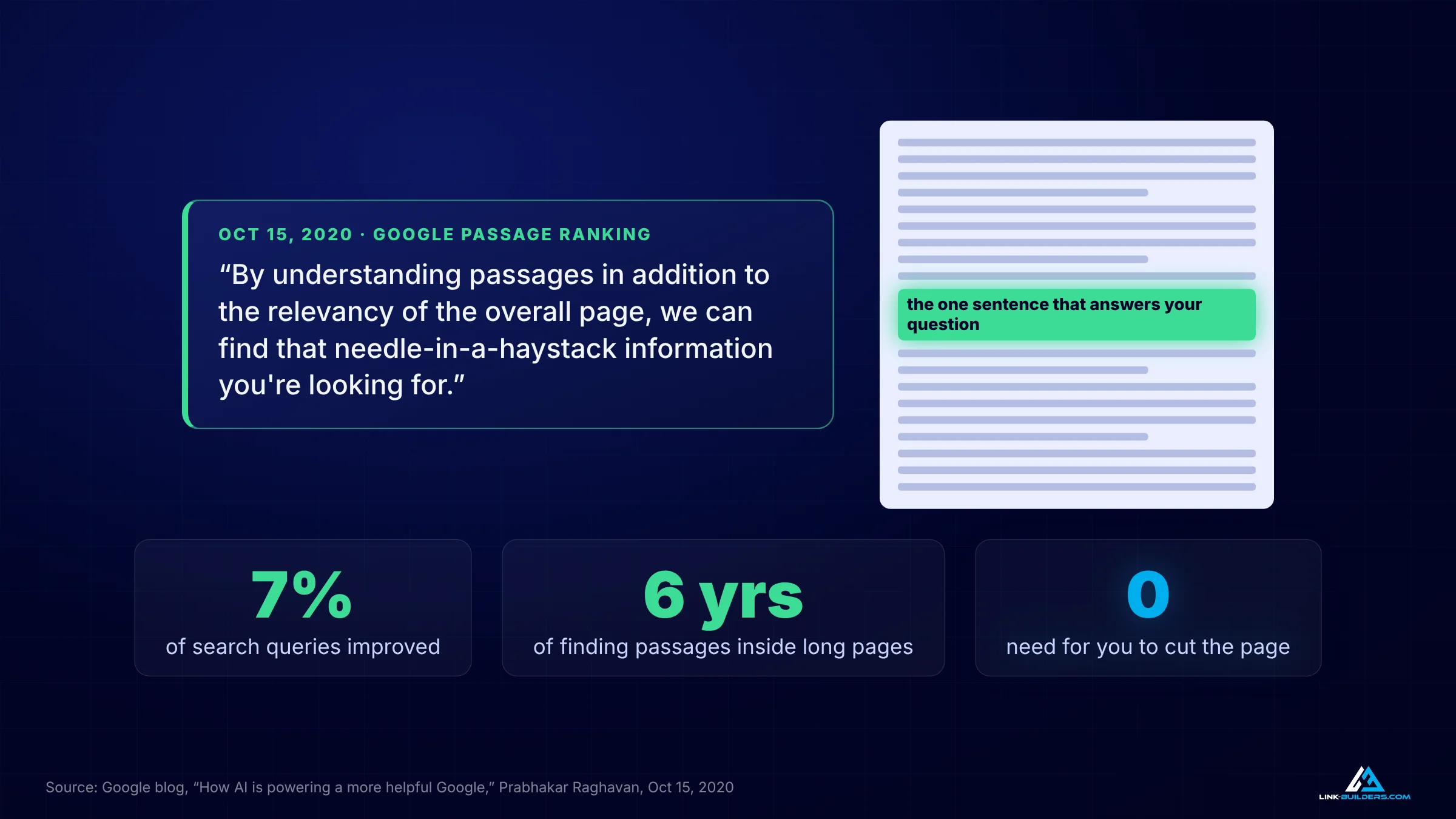
Google has been finding the right passage inside long pages for six years.
So Google has been pulling the right passage out of long pages for six years. Chunking your content doesn’t help a system that was built to work without it.
“We Don’t Want You to Do That”
In January 2026, Danny Sullivan addressed the question on Google’s own podcast, Search Off the Record. As Search Engine Land reported, he described the advice to “turn your content into bite-sized chunks, because LLMs like things that are really bite size,” and then said, “We don’t want you to do that.”
His answer was more balanced than most people expected. He acknowledged that some sites may find “you’re getting some advantage here” in some cases. But he added that “the systems improve, probably the way the systems always try to improve, to reward content written for humans.” That’s the risk in a sentence. A trick that works this year can become a weakness next year.
Where Microsoft and Google Actually Agree
Put the two guides side by side and the disagreement mostly disappears.
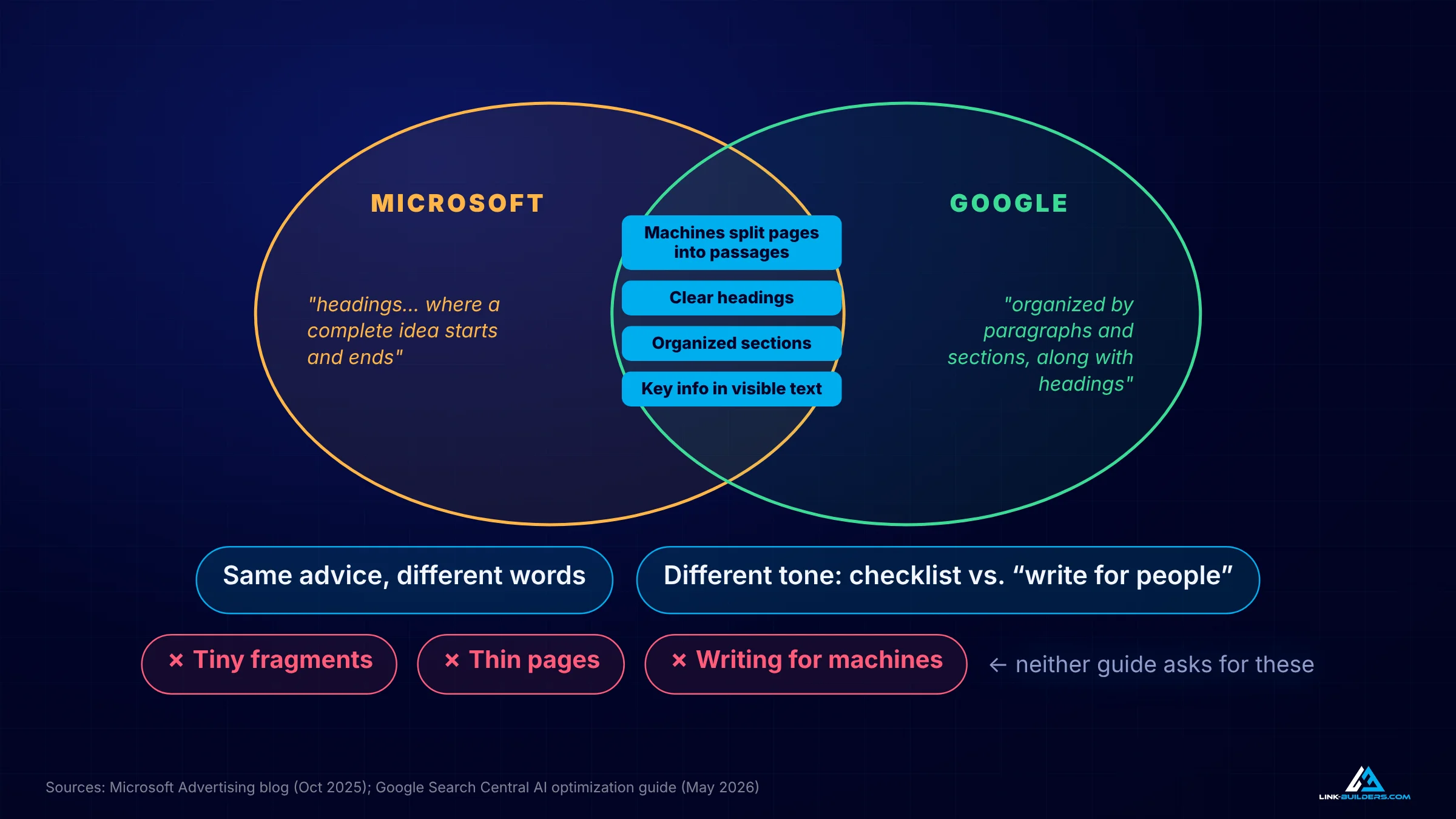
Same advice, different words. Neither guide asks you to shred your pages.
- Both describe machines that split pages into passages. Microsoft calls it parsing. Google calls it showing “the relevant piece.”
- Both want clear structure. Google says web pages are “organized by paragraphs and sections, along with headings that” provide “a clear structure to navigate content.” Microsoft says headings should mark where “a complete idea starts and ends.” That’s the same advice in different words.
- Both want key information in visible text. Microsoft warns that hidden content may not render. Google’s guide is built around content written for people to read.
Where they differ is tone. Microsoft gives you a checklist. Google tells you to stop worrying and write for people. Neither one asks you to cut your pages into tiny fragments, split guides into thin pages, or write for machines. That idea came from the advice industry, not from the search engines.
What Goes Wrong When You Over-Chunk
If chunking doesn’t help, is there any harm in doing it anyway? There are three real costs.
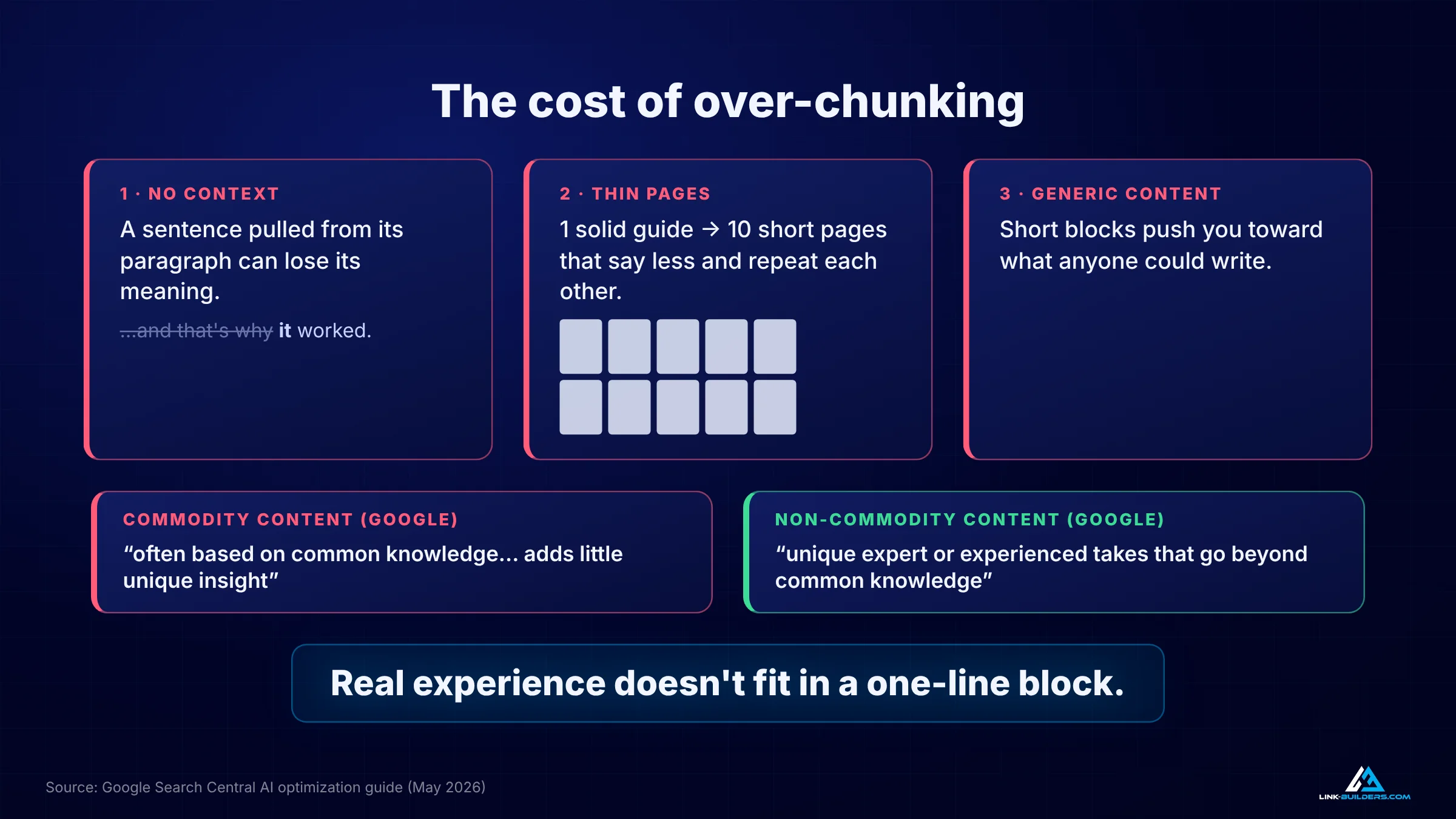
Over-chunking strips context, thins out pages and pushes you toward content anyone could write.
You Strip Out Context
A sentence that only works because of the paragraph around it loses its meaning when you isolate it. Breaking an argument into one-line blocks often removes the connecting logic that made it convincing, for readers and for AI.
You End Up With Thin Pages
When one solid guide gets split into ten short pages, each piece says less, and many of them start repeating each other. You now have ten pages competing for the same questions, each one weaker than the original.
You Drift Toward Generic Content
Google’s guide separates commodity content from non-commodity content. Commodity content “is often based on common knowledge, which could originate from anyone, and typically adds little unique insight for readers.” Non-commodity content “provides unique expert or experienced takes that go beyond common knowledge and the ordinary.” Real experience takes room to explain. It doesn’t fit in a one-line block.
Six Writing Rules That Work for Both Microsoft and Google
Here’s the middle path. These six rules line up with both guides, and none of them require you to rewrite your site for machines.
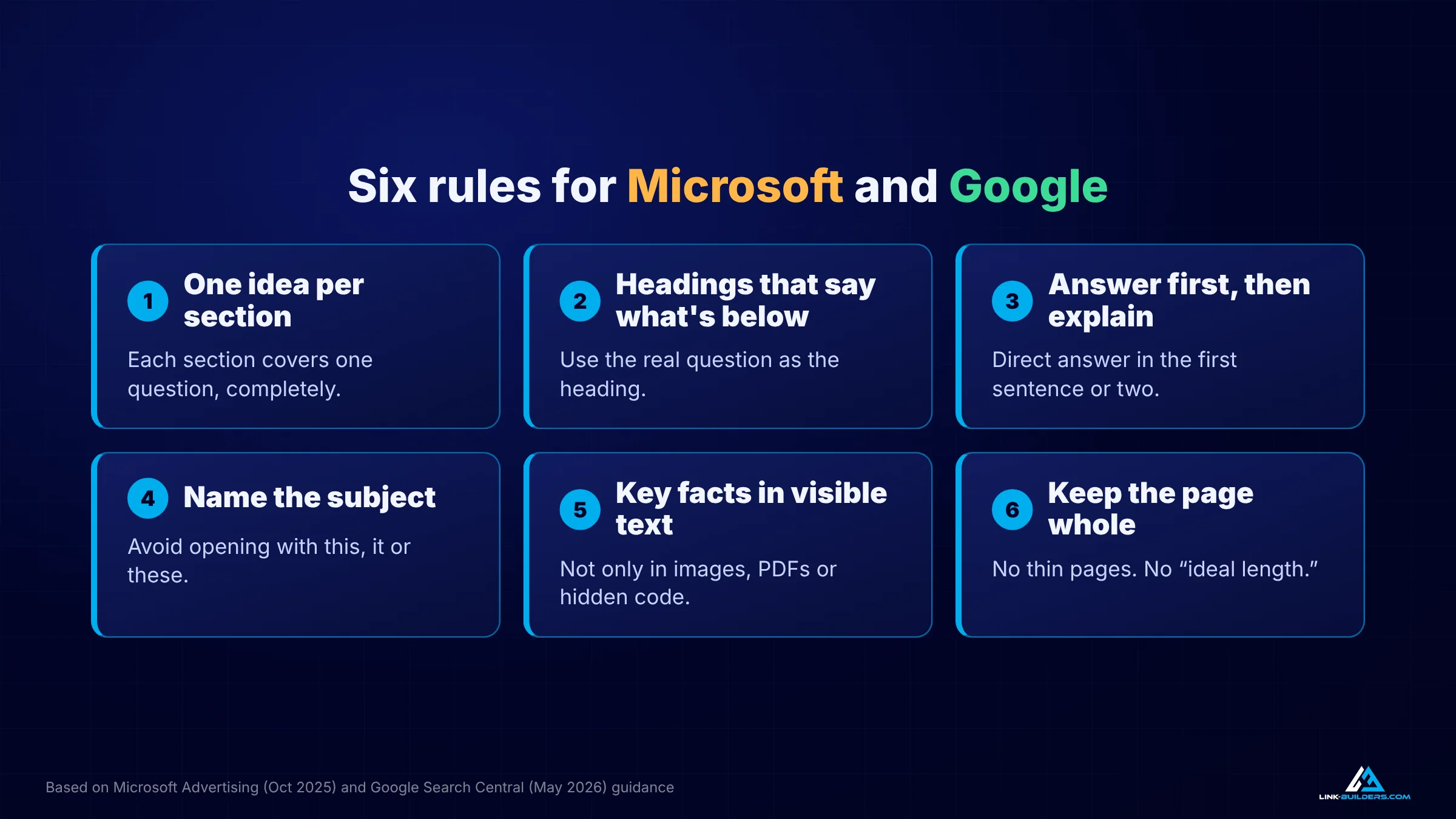
Six rules that satisfy Microsoft’s checklist and Google’s “write for people” guidance at the same time.
1. One Idea Per Section
Each section under a heading should cover one question or one topic, and cover it completely. That’s how both engines find where an idea starts and stops, and it’s how readers scan a page too.
2. Write Headings That Say What’s Below Them
A heading should tell the reader exactly what the section covers. If people ask it as a question, use the question as the heading. A heading like “Background” tells nobody anything. “How Comuna 13 Changed After 2002” tells readers and AI tools exactly what follows.
3. Answer First, Then Explain
Put the direct answer in the first sentence or two of each section, then give the detail, the reasons and the examples. Microsoft gets its short, liftable answer. Google gets a section written for people. You’ll notice every section in this article starts that way.
4. Name the Subject
Sentences that start with “this,” “it” or “these” lean on whatever came before them. When a passage gets lifted out on its own, those words point at nothing. You don’t need to remove every pronoun. Just make sure the first sentence of each section names what it’s about.
5. Keep Key Facts in Visible Text
Don’t put important information only in an image, only in a PDF, or only in code that visitors never see. Microsoft warns that hidden content may be skipped, and many AI crawlers read only the text in a page’s HTML. I covered the technical side in my AI crawler guide.
6. Keep the Page Whole
Don’t split one strong guide into a pile of thin pages, and don’t cut a page short to hit some ideal length. Google says there isn’t one.
A Real Example: Fixing a Tour Page on My Own Site
I ran these rules on a page from my own business, Medellin Tours. It’s the Comuna 13 tour page, and I checked it on October 7, 2026.
The page has about 3,000 words of body text, much of it real history of the neighborhood. That length is fine. Google says there’s no ideal page length, and the history is what makes the page useful. Much of the structure is good, too. There’s a clear heading for what to expect on the tour, and a real question as a heading: “Is Comuna 13 a safe place to tour?” That’s rule two done right.
The Heading Outline Had Noise
Pulling the heading outline showed some problems.
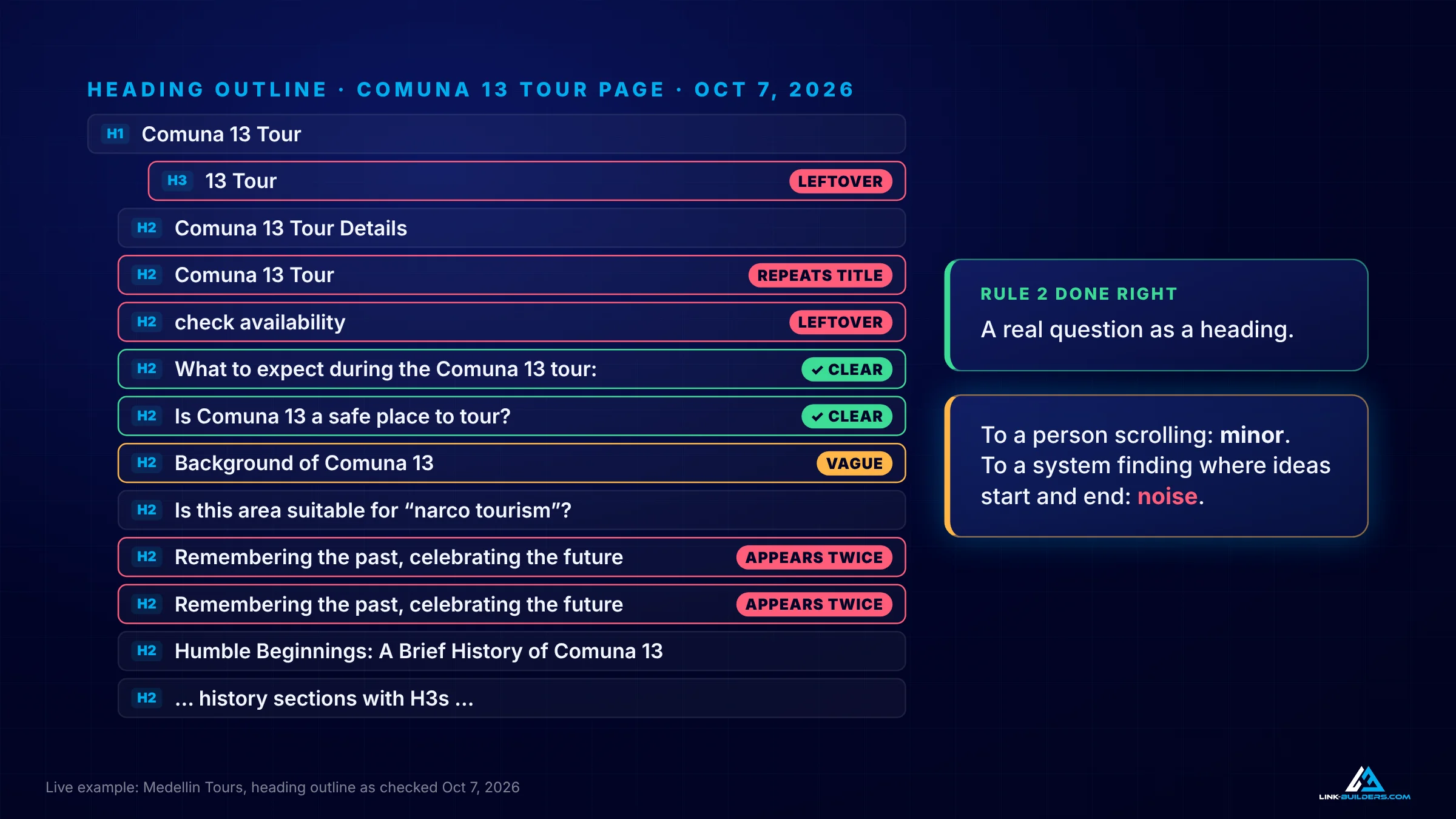
To a person scrolling, these are minor. To a system looking for where each idea starts and ends, they’re noise.
- A few headings were leftovers from the page design, like one that just says “13 Tour” and one that says “check availability.”
- One heading repeats the page title.
- Another heading appears twice.
- One just says “Background of Comuna 13,” which doesn’t tell a reader what the section covers.
To a person scrolling, none of that matters much. To a system trying to work out where each idea starts and ends, it’s noise.
Some Sentences Didn’t Name Their Subject
In the history section, several sentences start with “this” or “these.” One example: “This has helped transform the area into what it is today.” Read alone, that sentence says nothing. The fix is to name the subject:
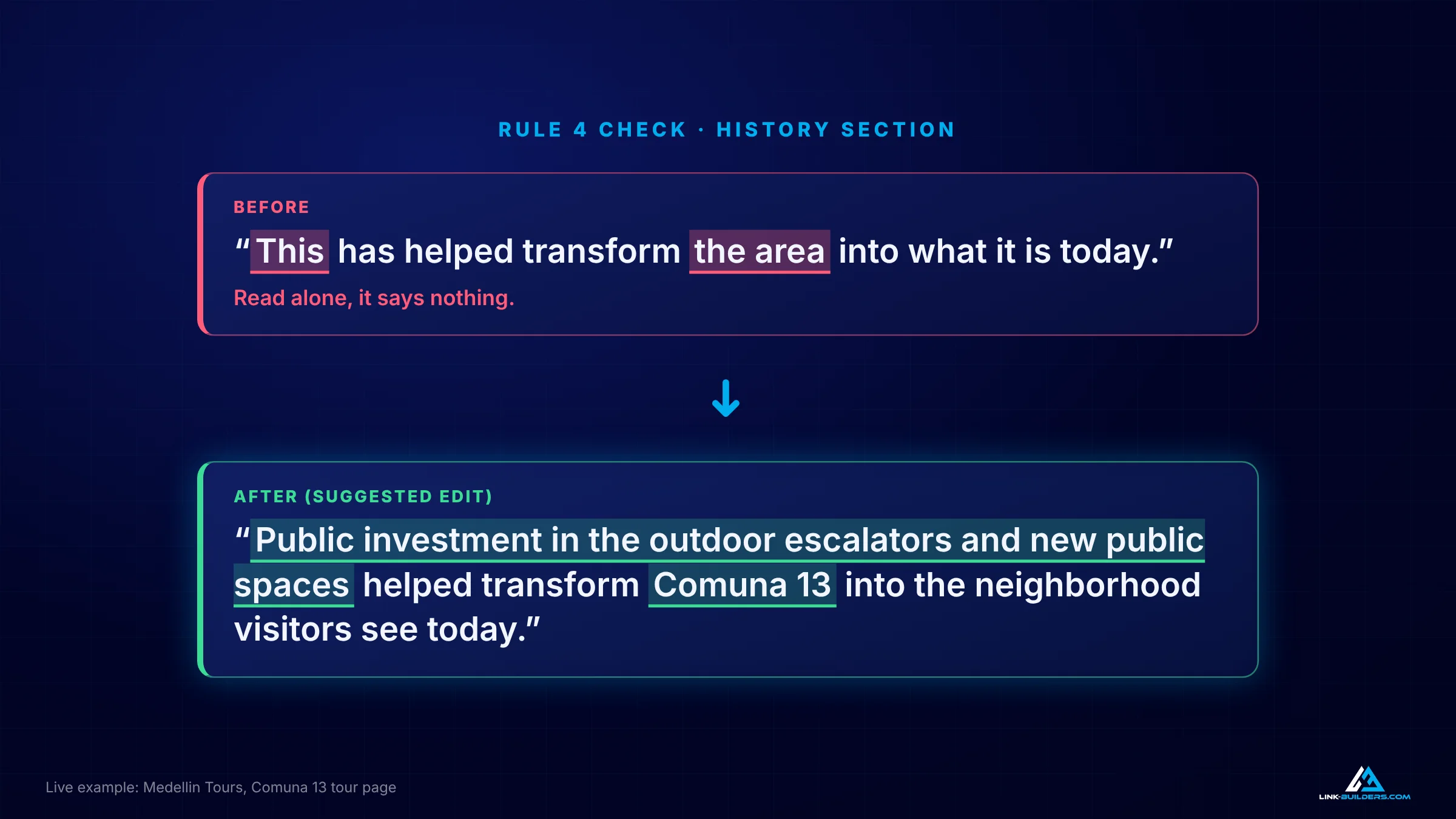
Rule four in practice: the rewrite still makes sense when a passage is lifted out of the page.
Before: “This has helped transform the area into what it is today.”
After: “Public investment in the outdoor escalators and new public spaces helped transform Comuna 13 into the neighborhood visitors see today.”
Some Answers Were Only in the Code
The page has three frequently asked questions written into its structured data, the code search engines read but visitors don’t see. One of them is how long the tour lasts. The safety question also appears as a visible heading. Under rule five, I want every one of those answers in the visible text as well, each under its own clear heading.
My Fix List
- Clean up the stray headings.
- Rename the vague ones.
- Name the subject at the start of each section.
- Add a visible questions section.
- Keep the page whole.
What I’m not doing is splitting this page into ten short ones. The history is what makes it worth reading.
Chunking Only Matters If Your Page Gets Retrieved
Most chunking advice skips one point: retrieval comes first. Look at the order of the steps again. Before an AI tool splits a page into passages, it has to find the page. Google says its AI features rely “on our core Search ranking systems to retrieve relevant, up-to-date web pages from our Search index.”
Structure decides which passage gets used. Authority decides whether your page is in the room at all.
If your page isn’t retrieved, it doesn’t matter how clean your passages are. They never get read. And getting retrieved still comes down to the basics: a page worth ranking, plus trusted, relevant sites that link to it and talk about your brand. I covered how links and mentions split that work in brand mentions vs. backlinks for AI search, and the wider playbook in how to get cited by AI.
Structure decides which passage gets used. Authority decides whether your page is in the room at all.
Frequently Asked Questions
What is content chunking in SEO?
Content chunking is the process AI search tools use to split a web page into smaller passages so they can pick the ones that best answer a question. In SEO advice, the term is also used for rewriting your own pages into short, self-contained blocks. The first is something AI systems do on their own. The second is optional, and Google says it isn’t required.
Does Google recommend chunking content for AI Overviews?
No. Google’s AI optimization guide says “there’s no requirement to break your content into tiny pieces for AI to better understand it” and that its systems can show the relevant part of a page that covers several topics. Google recommends writing well-organized content for people, with clear sections and headings.
Does Microsoft recommend chunking content for Copilot?
Not in the sense of cutting pages apart. Microsoft’s Bing team explains that AI assistants break pages into pieces and rank those pieces, and it recommends strong headings, direct answers, lists, tables and self-contained sentences so the pieces are useful. That describes clear sections, not one-line fragments.
How long should paragraphs be for AI search?
There’s no required length. Keep each paragraph focused on one point, and make the first sentence of a section answer its heading directly. Microsoft suggests one- to two-sentence answers to direct questions, which you can follow with longer explanation.
Is there an ideal page length for AI search?
No. Google says “there’s no ideal page length.” A long page with clear sections can be cited for many different questions, because AI tools pick the passage that fits each question.
Should I split long articles into several pages for AI?
Usually not. Splitting one strong guide into several thin pages tends to weaken each page and creates overlap between them. Clear sections inside one complete page serve readers, Google and Microsoft better.
Key Takeaways
- AI tools already split pages into passages. You don’t need to do it for them.
- Microsoft describes how its systems parse pages and recommends clear headings, direct answers and self-contained sentences.
- Google says there’s no requirement to break content into tiny pieces and no ideal page length, and it has ranked individual passages since 2020.
- Both guides agree on clear structure. Neither asks for one-line fragments or thin pages.
- Over-chunking strips context, creates thin pages and pushes you toward generic content.
- Follow six rules: one idea per section, descriptive headings, answer first, name the subject, key facts in visible text, and keep the page whole.
- None of it matters if your page isn’t retrieved. Authority still decides whether you’re in the room.
Get Your Pages Into the Room
Clean structure helps AI tools use the right part of your page. Getting the page found in the first place still depends on what other trusted sites say about you and whether they link to you. I’ve built backlinks since 2015, and earning placements on relevant, independent sites is what Link Builders does every day, with full transparency on every opportunity, contact and cost.
Want to see which sites could be linking to you and talking about your brand? Request a free sample of 20 vetted link opportunities for your site. If you want the whole AI visibility side handled, see my GEO agency services. If you run an agency and need an off-site partner for your clients, read about our white-label link building service.
About the author

Justin Davis is the founder of Link Builders, a white-label backlink agency, and has been building links since 2015 for more than 150 clients in law, healthcare, real estate, software and other industries. After years of doing prospecting research by hand, he built an AI agent link building system that handles each step, from finding link opportunities and vetting sites to finding contacts and preparing outreach. He now works every project himself, running that system for agencies and in-house SEO teams, earning the links and mentions that help their clients show up in Google and in AI answers, and teaches it on YouTube. He also built AnswerBuilders, the AI visibility platform Link Builders uses to find the pages AI answers cite. Find Justin Davis on YouTube, LinkedIn and X.