What Is AI Visibility? How to Track and Improve It
Author: Justin Davis, Link Builders
AI visibility is how often AI engines like ChatGPT, Perplexity, Gemini, Copilot and Google’s AI Overviews mention, cite or recommend your brand when people ask the questions your buyers ask. You measure it as a rate across many prompts and many runs, not as a ranking, because the same question rarely gets the same answer twice.
This guide shows how to check yours, how to track it every month with a spreadsheet and free tools, and what to fix when the numbers are bad. If generative engine optimization is the work, AI visibility is the scoreboard. My guide to generative engine optimization covers the work itself. I’ve built backlinks since 2015, and I run every engagement myself with AI agents doing the research. Checking AI visibility is also where my GEO agency work starts.
What Is AI Visibility?
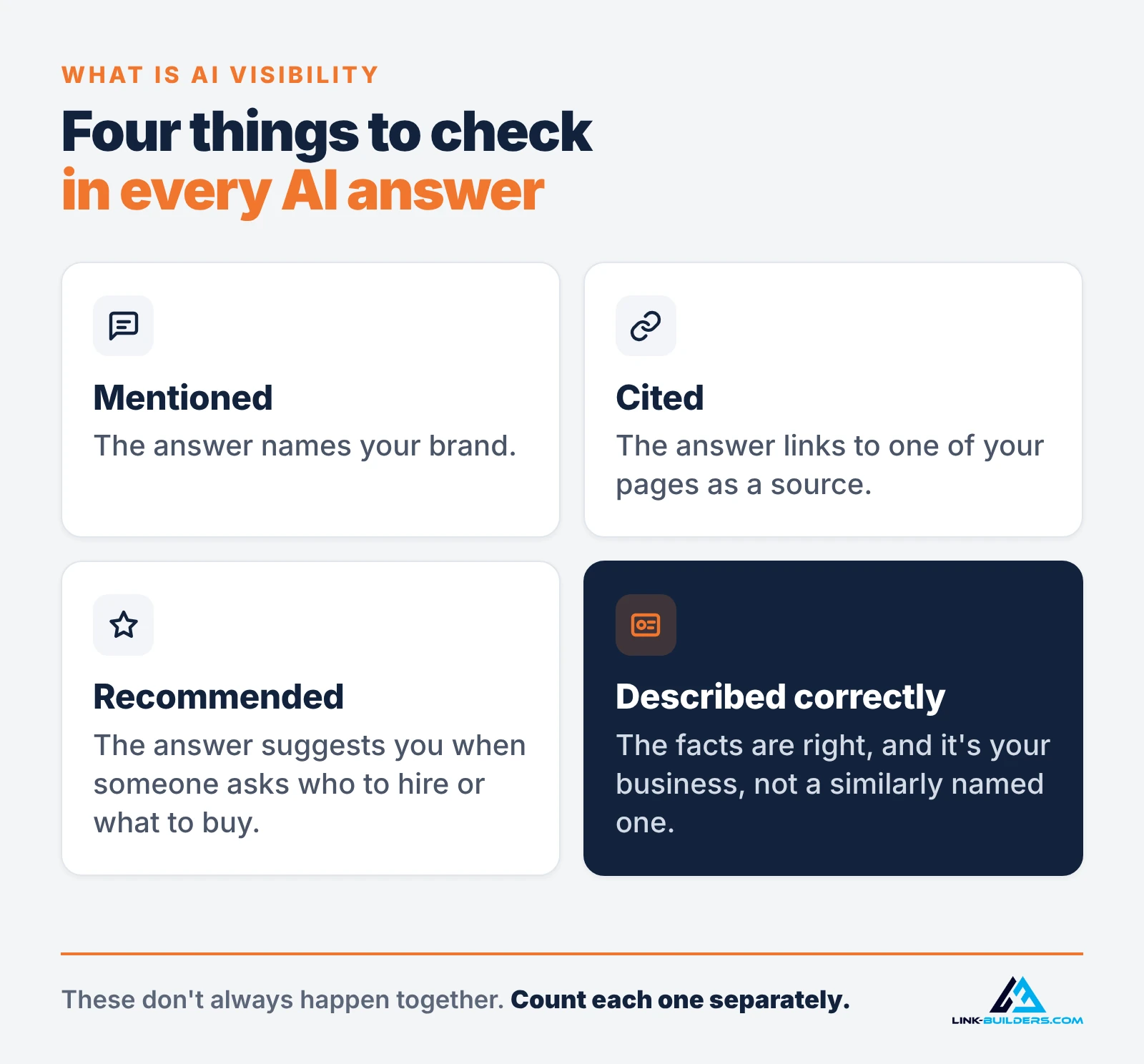
For every AI answer, there are four things worth checking:
- Mentioned: the answer names your brand.
- Cited: the answer links to one of your pages as a source.
- Recommended: the answer suggests you as an option when someone asks who to hire or what to buy.
- Described correctly: the facts are right, and the engine is talking about your business, not a similarly named one.
These don’t always happen together. An engine can name you without linking to your site, or cite your page and never say your brand name. I explain why in brand mentions vs. backlinks for AI search. For tracking, count each one separately.
AI visibility is also different from a search ranking. An AI answer has no stable position: the list of brands, its order and its length change from run to run. So the useful question isn’t “where do I rank in ChatGPT?” It’s “out of all the times a buyer asks this, how often am I in the answer?”
Why Track AI Brand Visibility?
Buyers ask AI for shortlists. When someone asks an assistant which company to hire or which product to buy, the brands in that answer get considered first. If you’re not in it, you never hear about the lost lead.
Your analytics can’t see it. No report tells you when an AI recommended a competitor to someone who never clicked anything. Prompt tracking is the only way to see those answers directly.
The answers tell you what to fix. Every tracked answer shows which websites the engine relied on and how it described you. That turns a vague worry into a list: pages to fix, profiles to correct and sites to earn a place on.
My own tour company, Medellin Tours, is the clearest example I have. On October 1, 2026, I asked ChatGPT seven questions a tourist might ask about tours in Medellín, logged out, once each, with a new chat for each question. It recommended Medellin Tours zero times out of seven, even though the site was open to AI crawlers and its content was readable. The answers leaned on Tripadvisor, Viator, independent travel guides and other tour companies’ pages. When I asked about Medellin Tours by name, ChatGPT leaned on a similarly named listing that isn’t mine. Without that check, I’d have blamed the website. It’s a single snapshot, one run per question, and I haven’t re-run it since. That makes it a baseline, not a trend and not a success story.
The AI Visibility Metrics That Matter
You only need a handful of numbers. All but the last row come from the same log of prompt runs.
| Metric | How to calculate it | What it tells you |
|---|---|---|
| Mention rate | Runs that name your brand ÷ total runs | How often you’re part of the answer at all |
| Citation rate | Runs that link to one of your URLs ÷ total runs | Whether your pages win the searches the engine runs |
| Recommendation rate | Runs that suggest you as an option ÷ runs of buying prompts | How often you make the shortlist |
| Share of voice | Your mentions ÷ all brand mentions across the same runs | How you compare with competitors on the same questions |
| Accuracy | Runs with a wrong fact or the wrong business ÷ runs that mention you | Whether the engine knows who you are |
| Top cited sources | The domains cited most often across all runs | Where the engines get their answers. This becomes your outreach list. |
| AI impressions, citations and visits | Search Console, Bing Webmaster Tools and GA4 | What the platforms report directly (covered below) |
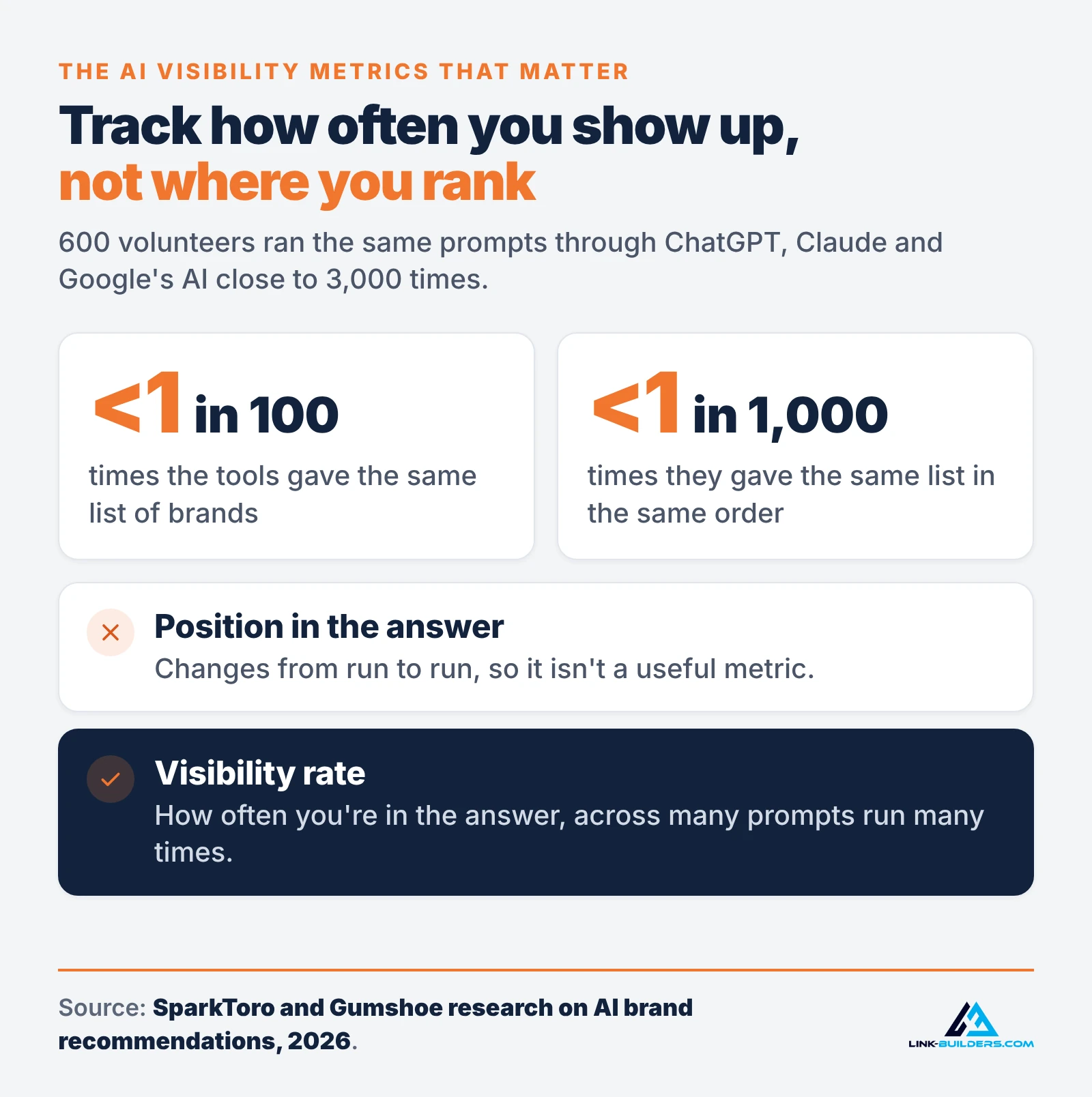
One metric I leave out on purpose: your position inside the answer. SparkToro and Gumshoe had 600 volunteers run the same prompts through ChatGPT, Claude and Google’s AI close to 3,000 times. They found the tools gave the same list of brands less than 1 in 100 times, and the same list in the same order less than 1 in 1,000 times. The same research concluded that visibility percentage, measured across many prompts run many times, is a reasonable metric. Position isn’t.
How to Check Your AI Visibility
A manual audit needs only a spreadsheet and the AI engines themselves.
1. Write a fixed prompt set
Write 10 to 30 prompts that match what your buyers actually ask. Mix four types:
- Category prompts: “What are the best [service] companies for [type of customer]?”
- Problem prompts: the question a buyer asks before they know what they need.
- Comparison prompts: “[Your brand] vs. [competitor]” or “Which is better for [use case]?”
- Brand prompts: “What is [your brand]?” and “Is [your brand] any good?” These check accuracy.
Write them in full sentences, the way people type into a chat box. Then freeze the list, or you can’t compare one month with the next. Test new prompts as a separate group instead of replacing old ones.
2. Control the conditions
Personal history can change answers, so check from the same clean state every month.
- ChatGPT: use it logged out, or start a Temporary Chat and choose Unpersonalized, which OpenAI says doesn’t use memory, custom instructions or plugins.
- Google: run the prompt as a normal search and note whether an AI Overview appeared at all. Google says AI Overviews often don’t trigger, and that AI Mode can show different responses and links, so log the two separately.
- Perplexity, Gemini and Copilot: start a new conversation for each prompt, and turn off personalization or memory where the product offers that option.
Use the same device type each month. If you serve a specific city, put the city in the prompt so every run asks the same question.
3. Run each prompt more than once
One answer is an anecdote. For a manual check, three runs per prompt per engine is a sensible floor. That won’t give you statistical precision (SparkToro’s research suggested 60 to 100 runs for that), but it shows direction over a few months and which sources keep coming up.
4. Log every run
Use one row per run. These columns are enough:
- Date, engine, prompt and run number
- Brand mentioned? (yes or no)
- Your URL cited? (yes or no, and which URL)
- Recommended? (yes or no)
- Competitors named
- Domains cited
- Anything wrong: wrong facts, the wrong business or outdated details
Save the raw answer or a screenshot too, so you can see why a number moved.
Free template: I made a free AI visibility tracking sheet with these columns already set up. It’s an Excel file that also opens in Google Sheets. The Summary tab calculates your visibility, mention, citation and recommendation rates for each engine and overall, and the Trend tab splits them by month. There’s also a CSV version of the log. The yellow example rows use a made-up “Example Brand”, so delete them before you start.
5. Score it and sort the sources
Calculate the metrics from the table above, for each engine and for the whole set. Then sort the cited domains by how often they appear. That list is the most useful output of the audit: the websites the engines trust for your buyers’ questions.
My Medellín baseline was a much smaller version of this: one engine, seven prompts, one run per prompt, each in a new chat, and I haven’t re-run it since. Even that single check showed where ChatGPT got its answers. It can’t show a trend, though. That takes the same prompts, more engines and repeat runs, month after month.
Add the Free Platform Data
Three free reports fill in part of what prompt tracking can’t see.
- Search Console’s generative AI performance reports show how often your URLs appeared in AI Overviews, AI Mode and AI features in Discover, by page, country, device and date. They show impressions, not clicks. Google rolled them out to all websites on August 31, 2026. Use the page list to see which of your pages Google’s AI already uses, and protect those pages.
- AI Performance in Bing Webmaster Tools, still a public preview, shows how often your pages were cited in Copilot and Bing’s AI summaries, which pages were cited and a sample of grounding queries, the phrases the AI used to retrieve your content. Those phrases are good candidates for your prompt set.
- GA4’s AI Assistant channel groups visits from sources like ChatGPT, Gemini, DeepSeek, Copilot and Grok. Visits from Google’s AI Overviews and AI Mode are counted as Organic Search instead, and some AI visits arrive with no referrer at all. I explain how to build a custom channel group that catches more of them in how to read Search Console and GA4 data for SEO.
Treat the platform data as a cross-check. The prompt log is still the only place where you see the answers themselves.
Tracking AI Visibility Manually vs. With Tools
A spreadsheet works for one brand and a few dozen prompts. Past that, runs add up fast: 30 prompts, five engines and three runs each is 450 answers a month to read and log.
That’s where AI visibility trackers come in. They run your prompts on a schedule and chart mentions, citations and share of voice. I won’t rank them here, but I’d ask any tracker these questions first:
- How many times does it run each prompt, and does it show the sample size next to each number?
- Does it collect answers through the engines’ APIs or the apps people use? SparkToro’s research treats the difference as an open question.
- Can you export the raw answers and cited URLs, not just the scores?
- Does it sell a “ranking position” inside AI answers? If it does, be skeptical, for the reason above.
Either way, tracking only shows you the gap. Closing it is the work below. If you’re comparing GEO providers rather than tools, my guide to what GEO services include and what they cost covers that decision.
A Free Monthly AI Visibility Routine
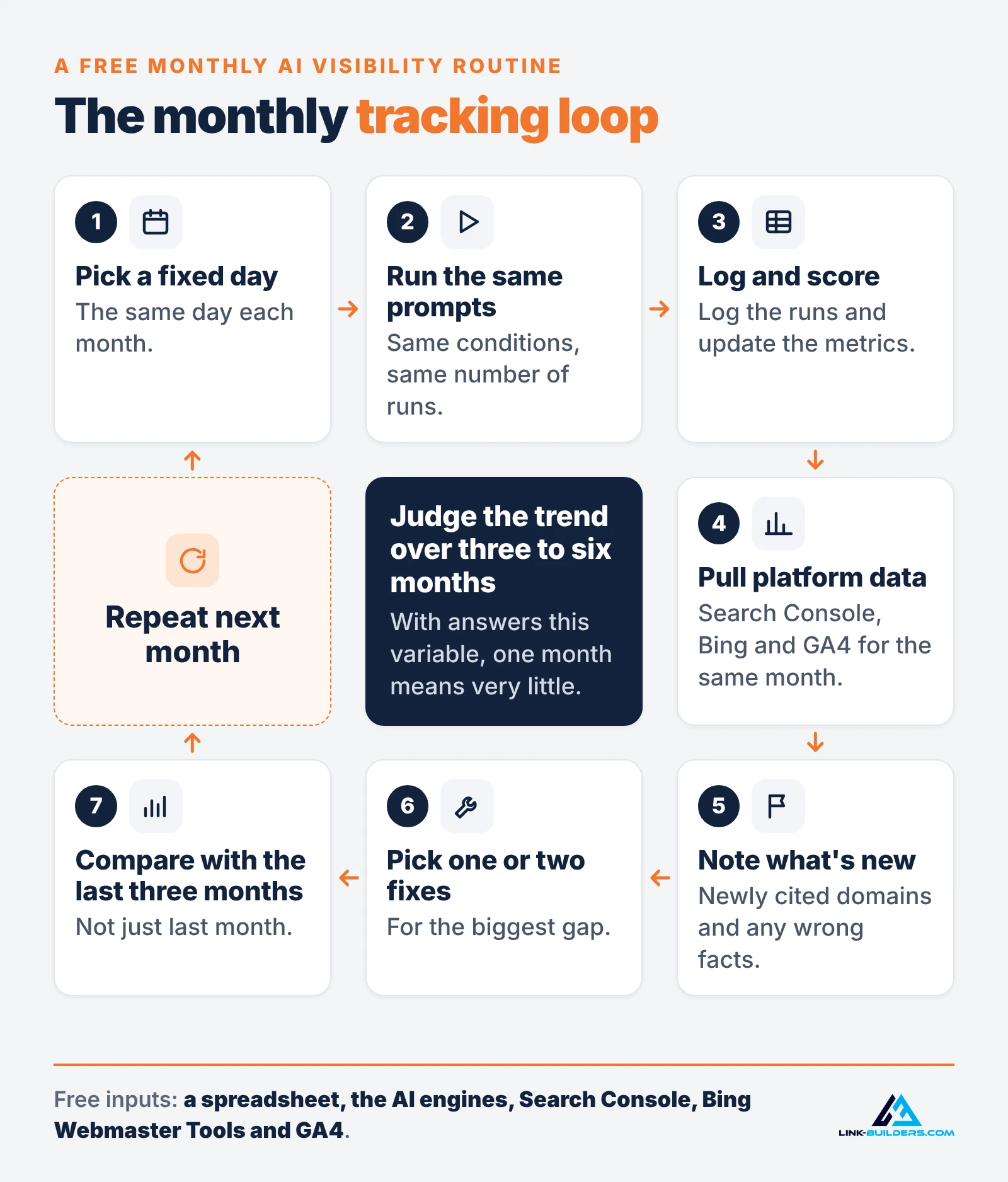
Once the baseline is done, the monthly routine looks like this:
- Pick a fixed day each month.
- Run the same prompt set, in the same conditions, the same number of times.
- Log the runs and update the metrics. The free tracking sheet above does the math.
- Pull Search Console AI impressions, Bing AI citations and GA4 AI Assistant visits for the same month.
- Note any newly cited domains and any wrong facts.
- Pick one or two fixes below for the biggest gap.
- Compare with the last three months, not just last month.
Judge the trend over three to six months. With answers this variable, one month means very little.
How to Improve AI Visibility: 6 Fixes
Your log tells you which fix comes first. Here’s how I read it:
| What you see in the log | Likely cause | Start with |
|---|---|---|
| The engine can’t say anything accurate about you, even when asked by name | It can’t reach your site or can’t tell who you are | Fixes 1 and 2 |
| You’re named, but with wrong details or mixed up with another business | Inconsistent brand information across the web | Fix 2 |
| You’re named, but your pages are never cited | Your pages don’t win the searches the engine runs | Fixes 3 and 4 |
| You’re missing from category and “best” prompts | Too few independent sites mention you | Fixes 5 and 6 |
1. Make sure AI crawlers can reach you
Check robots.txt, firewall and CDN bot settings, and whether key content is in the page HTML. My AI crawler map lists which bots to allow and ends with a 15-minute checklist. Access doesn’t earn visibility on its own (in my one-time Medellín check, the site was open to AI crawlers and still wasn’t recommended), but without it nothing else works.
2. Fix your brand identity
Use the same business name, description and website link on your site, your listings and your profiles. If your brand prompts turn up a mix-up like mine, fix that before anything else. A mention credited to another business does nothing for you.
3. Win the smaller searches
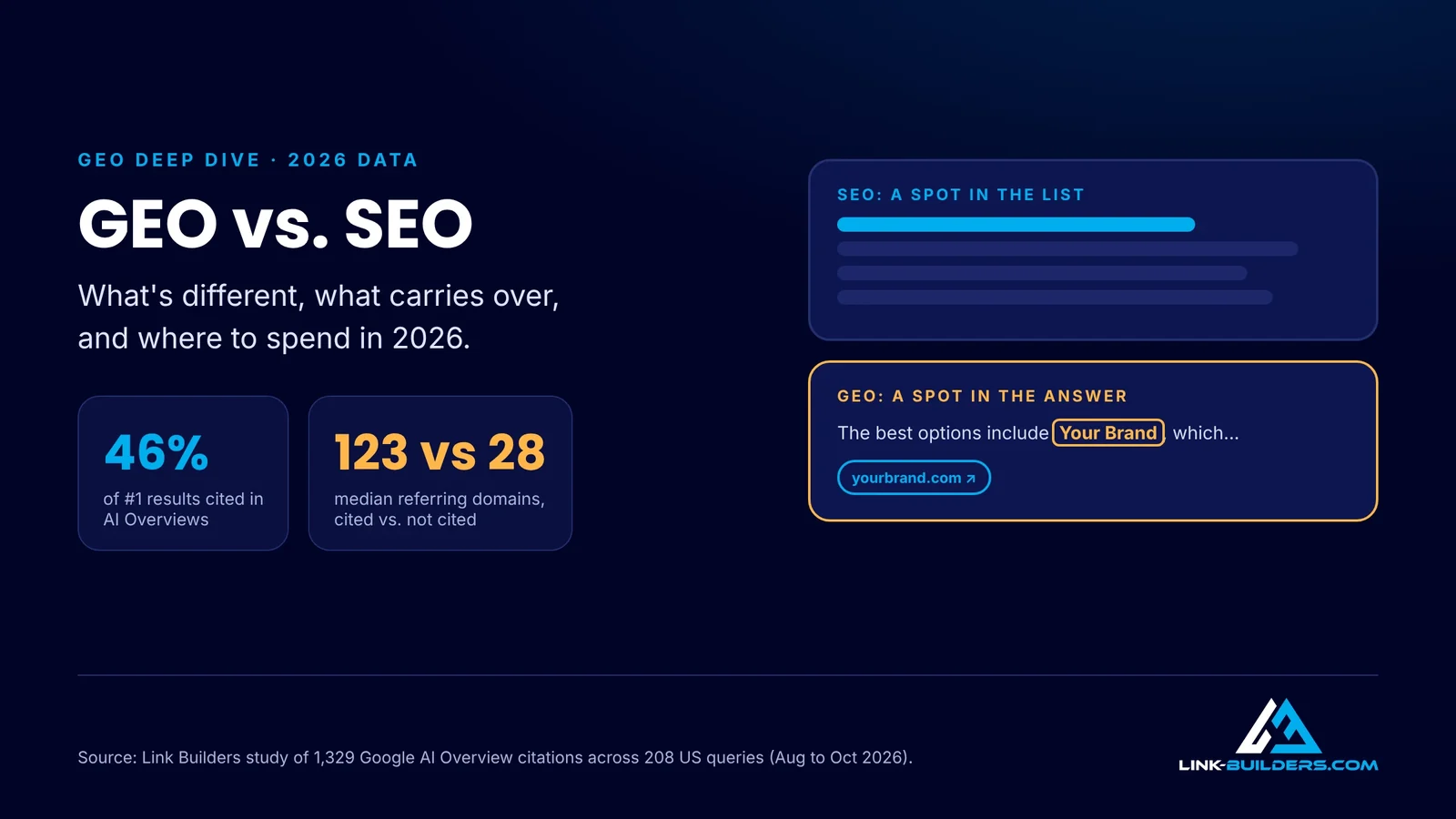
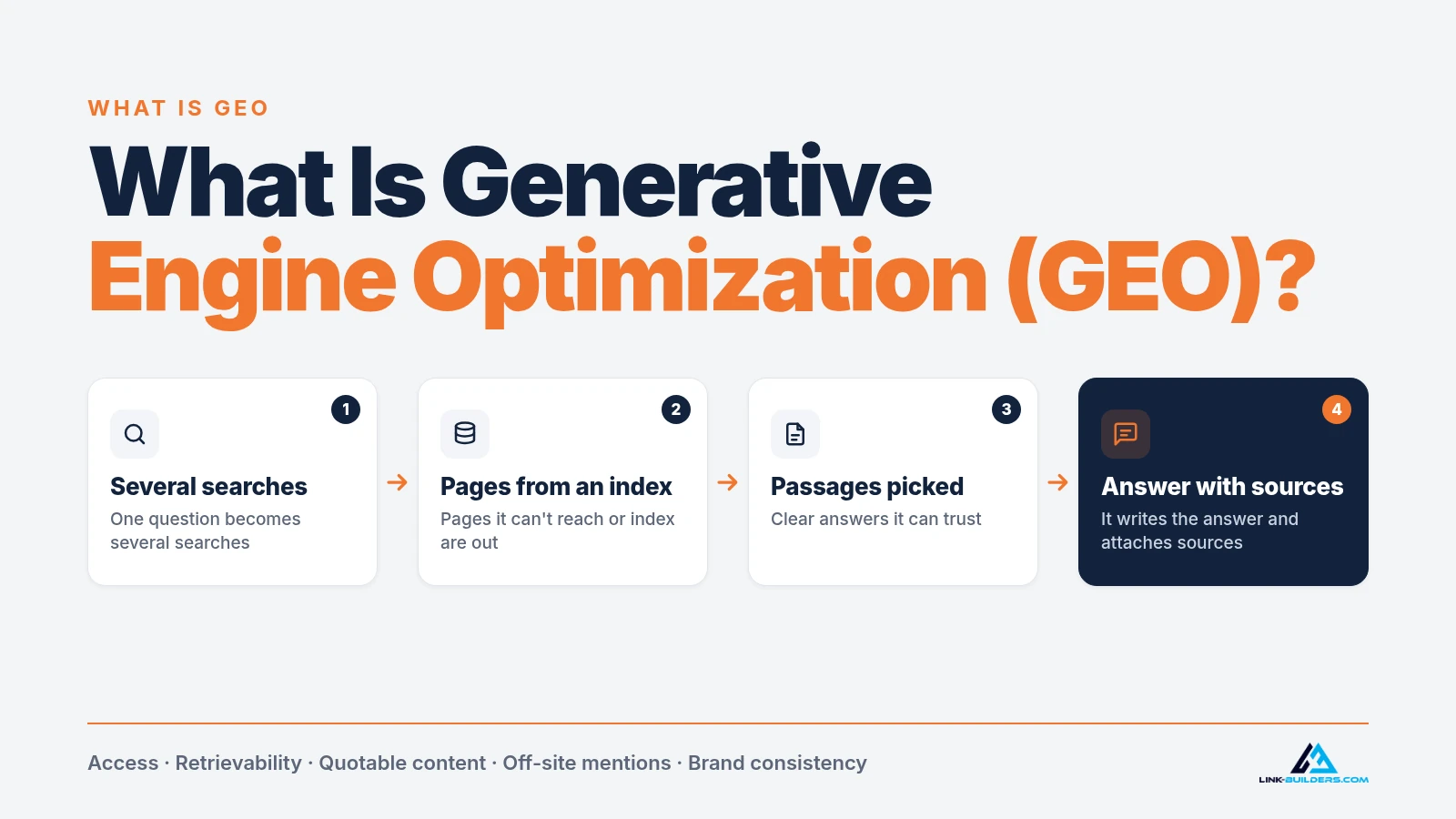
Engines search before they answer. Google says AI Overviews and AI Mode may use “query fan-out,” running several related searches to build one response. Pages that rank for those smaller searches get pulled in, so normal SEO still matters. I break down how GEO differs from SEO in a separate guide.
4. Make your key pages easy to quote
Put a direct answer at the start of each section, keep facts in plain text and name your sources. Each section should still make sense if it’s lifted out on its own. I tested this on one of my own tour pages in what Microsoft and Google actually say about chunking.
5. Answer the questions you’re missing from
Your log shows the prompts where competitors appear and you don’t. Sometimes you simply have no page that answers that question, like a clear pricing page, an honest comparison or a page that says who you serve. Build that page once, properly. Don’t publish a stack of thin pages aimed at individual prompts.
6. Earn mentions on the pages AI already cites
This is the slowest fix, and usually the one that moves the most. Your list of top cited domains is an outreach list: the review platforms, guides, comparison articles and resource pages the engines trust. Earning a real mention on those pages, ideally with a link, is what changes the category and “best” answers. In my one-time Medellín test, every company ChatGPT recommended had a large volume of reviews on the big platforms, so that’s where the off-site work for my own tour company would start. My playbook on how to get your brand cited by AI covers how to earn those placements.
AI Visibility FAQ
What is a good AI visibility score?
There’s no universal benchmark. Scores depend on your market, your prompts and how many brands compete. Compare yourself with the competitors that show up for the same prompts, and watch your own trend.
How often should I check AI visibility?
Monthly is enough for most businesses. Checking every day mostly measures randomness.
Can I track AI visibility for free?
Yes. A spreadsheet, the AI engines themselves, Search Console, Bing Webmaster Tools and GA4 cover the basics. Paid trackers save time at larger scale.
Is AI visibility the same as GEO?
No. GEO is the work of making AI engines more likely to mention, cite and recommend you. AI visibility is how you measure the result. My GEO guide covers the work in full.
Can anyone guarantee AI visibility?
No. Nobody controls what an AI engine says, and answers change with every model update. Be wary of anyone who promises you a spot in ChatGPT or a fixed number of citations.
Where to Go From Here
Start with the baseline this week: write your prompts, run them, log the answers and sort the cited sources. That alone will tell you more than a single screenshot ever will.
If your log points to off-site work, finding the pages AI engines cite and earning your brand a place on them, that’s what I do as a GEO agency built on off-site authority. It’s $160 an hour, or $4,800 for a prepaid 30-hour block. Not ready to talk? Send me one URL and I’ll send back 20 hand-vetted link opportunities for it, free.
About the author

Justin Davis is the founder of Link Builders, a white-label backlink agency, and has been building links since 2015 for more than 150 clients in law, healthcare, real estate, software and other industries. After years of doing prospecting research by hand, he built an AI agent link building system that handles each step, from finding link opportunities and vetting sites to finding contacts and preparing outreach. He now runs that system for agencies and in-house SEO teams, and teaches it on YouTube. Find Justin Davis on YouTube, LinkedIn and X.